
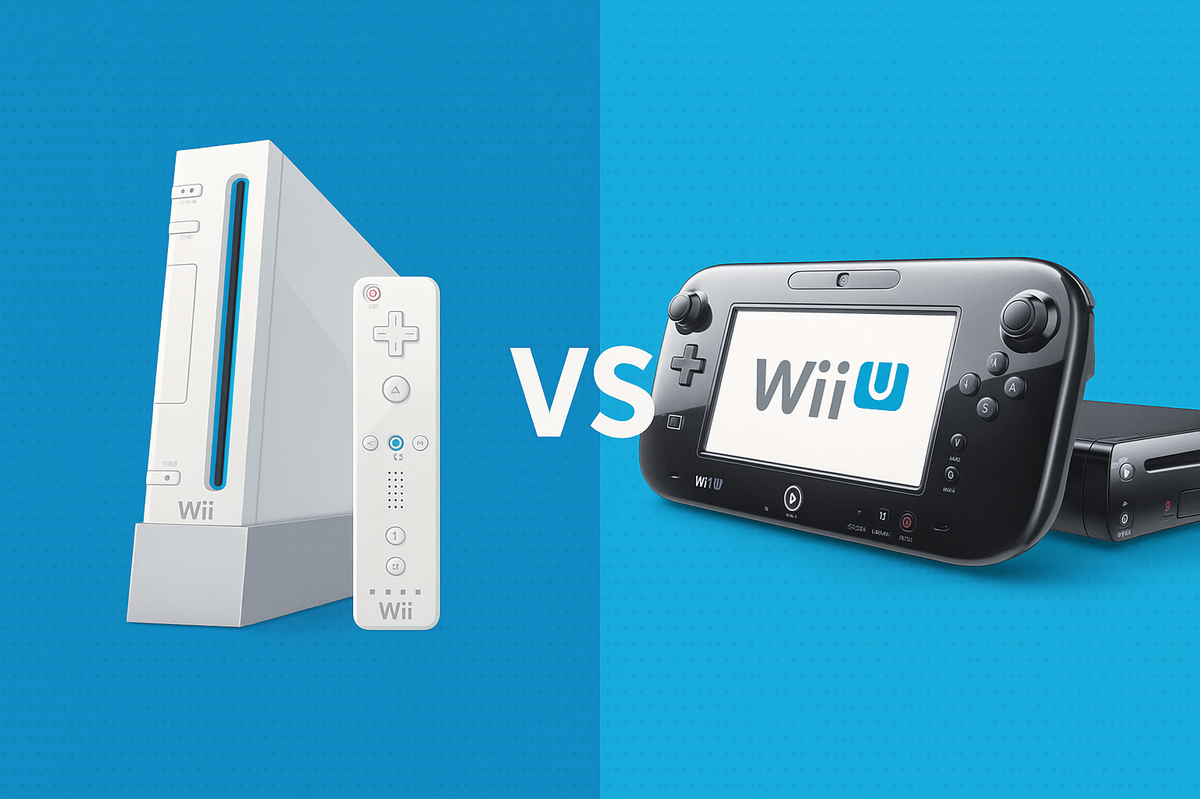
Can Wii U Play Wii Games: Compatibility and Setup Guide
Compatibility between different platforms is what makes the Wii console so popular. Sure, there are plenty of limitations as well, so it’s always worth double-checking upfront before investing your time and money. While some consoles can play games made for other consoles, this isn’t a general rule.
Now, with so many popular titles, it’s easy to understand why the Wii was such a hit across generations. But then, does the Wii U play Wii games? Sometimes, you want the best of both worlds. Keep reading to find out how to make it happen.
So, Does the Wii U Play Wii Games?
Here comes the good news. The Wii U is backwards compatible, meaning it’s able to play plenty of Wii games. At the same time, the console is also compatible with accessories, as long as you set the console correctly.

For a top experience, make sure that you have Wii accessories, such as nunchuks and remotes. This way, you’ll face no limitations whatsoever. Besides, you can display the game on the Wii U GamePad, but also on your TV. In fact, you can display it on both screens simultaneously if you prefer.
What Wii Games Can You Play on Wii U?
Most games available on Wii can also be played on Wii U without any issues. There are no reports of games that cannot be played, yet Nintendo advised that nearly all Wii games will work just as well. The Wii U has great compatibility with most Wii software, but there are also a few exceptions.
Physical Wii discs can be used too, not to mention compatibility with Virtual Console titles and WiiWare.
Original Wii controllers are required for the full experience. You won’t be able to use Wii U controllers for Wii games though. There’s no compatibility between them.
Some of the most popular titles on the Wii games list that you can enjoy on Wii U include:
- Mario Kart 8
- Star Fox Zero
- Super Mario 3D World
- Nintendo Land
- Donkey Kong Country: Tropical Freeze
- The Legend of Zelda: Twilight Princess
- The Legend of Zelda: Breath of the Wild
- Yoshi’s Woolly World
And many others! So, does Wii U play Wii games? Yes, it absolutely does. How do you do it then? Here are the steps you need to follow.
How to Play Wii Games on Wii U
Make sure to follow the steps in this specific order to ensure your games run smoothly without any glitches.
Sync the Remote
The first step involves syncing the Wii Remote to your Wii U console. There’s perfect compatibility between them, so you should have no issues whatsoever. To do so, you’ll have to sync them. Find the sync button on the Wii U. It should be close to the power button and easy to spot.
Then, locate the sync button on the Wii remote. Press both of them at the same time. The connections should be established in a few seconds. You know it’s done when the blinking light stays solid. If it’s still blinking, the connection isn’t done yet and you may need to try again.
Insert the Game
It’s worth noting that all Wii game discs are compatible with Wii U. There should be no issues whatsoever. Pick a game you want to play, then insert the disc into the drive on your Wii U console. It should go in straight away.
Enter the Wii Mode
For this compatibility to work, syncing the remote isn’t enough. It’s the first step in the process, but you also need to tell your Wii U console that you’re about to play Wii games. Once the disc is inserted, you’ll have to launch the Wii mode.
This mode showcases the compatibility between platforms. Basically, you’re using the Wii U, but you can enter the Wii mode, so it acts just like a classic Wii.
To launch this mode, you’ll need to go into the main menu on your Wii U. Find the Wii Menu icon. Once there, press A and it will launch. From this point on, your Wii U will act like the original Wii, with no differences at all.
Pick the Game
With everything ready for the launch, go to the Disc Channel and pick the game in order to start it. The icon is located on the top left side of the screen. You’ll find there the game you inserted at a previous step. Selecting the game will launch it immediately, allowing you to enjoy it just like on a regular Wii.
Things You Need to Play Wii Games on Wii U
To play Wii games on Wii U, you’ll need the following items:
- Wii Remote to play the games.
- Wii Nunchuks, but they’re only required if the game needs them.
- Sensor bar for motion detection and pointing functionalities.
- Balance bar, Wii Zapper or Wii Wheel, but only if they’re required by the game.
Not having some of these things could bring in some limitations, so it’s best to gather all necessary accessories before starting.
Bottom line: does Wii U play Wii games? Yes, it does. It does it with no issues at all due to the great compatibility standards between Wii platforms. Make sure you have everything the Wii game requires (including the actual disc) and you should have no problems setting your system up for hours of fun.


